Administering All Desktop Instances
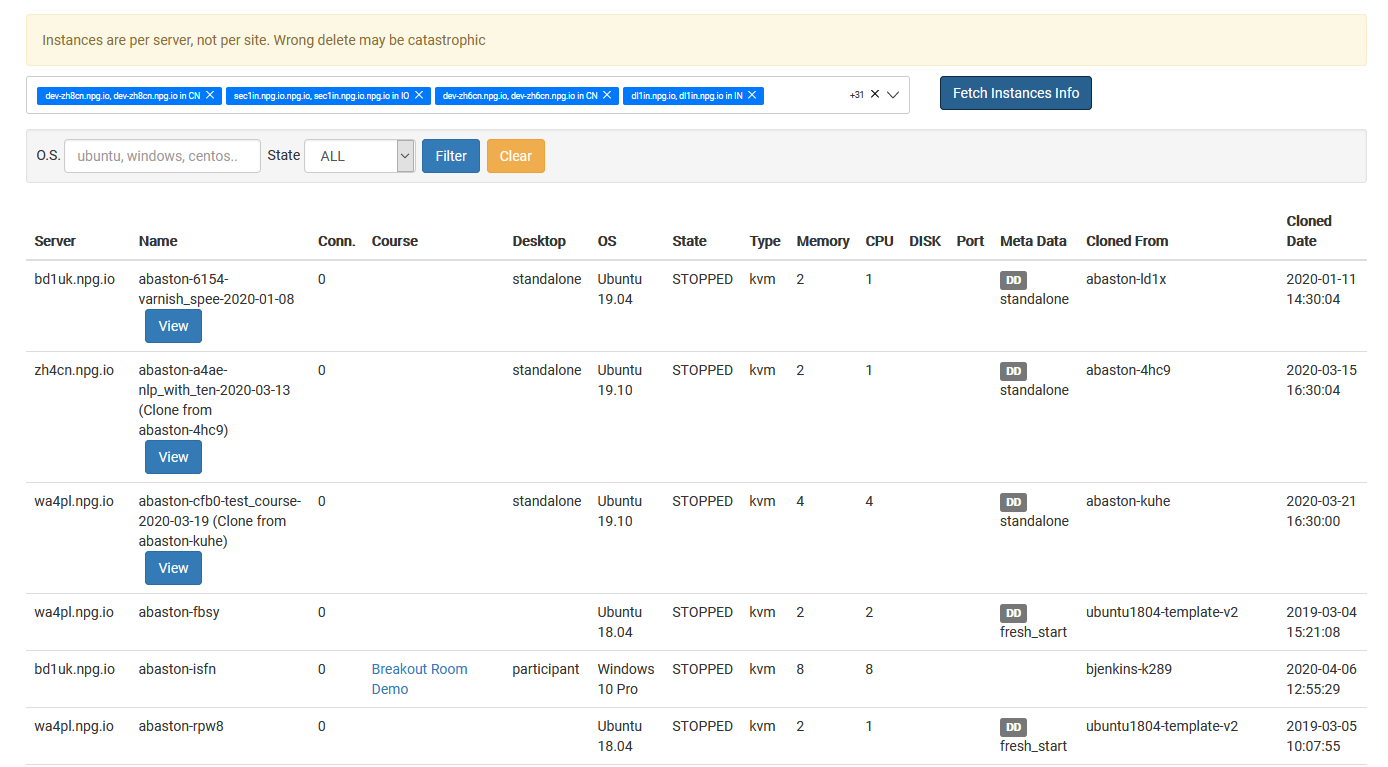
The Managing All Desktop Instances page offers Super Administrators a centralized hub to oversee all desktop instances on the platform in Poland. It delivers a comprehensive view of desktops across all organizations, courses, and servers, simplifying the monitoring of resource usage and streamlining administrative duties.
Available Actions
- Access a complete list of all desktop instances in a single view.
- Use search and filter tools to locate particular desktops swiftly.
- Examine real-time status and detailed information for any desktop instance.
- Carry out administrative tasks on chosen desktop instances as needed.
- Observe desktop activity across organizations, servers, and data centres from one convenient location.
Who Has Access
The Managing All Desktop Instances tool is exclusively a Super Administrator capability. It is designed for administrators who require visibility and control over all desktop instances throughout the entire DaDesktop platform, rather than being limited to one organization or course.