Overseeing Work Desktops
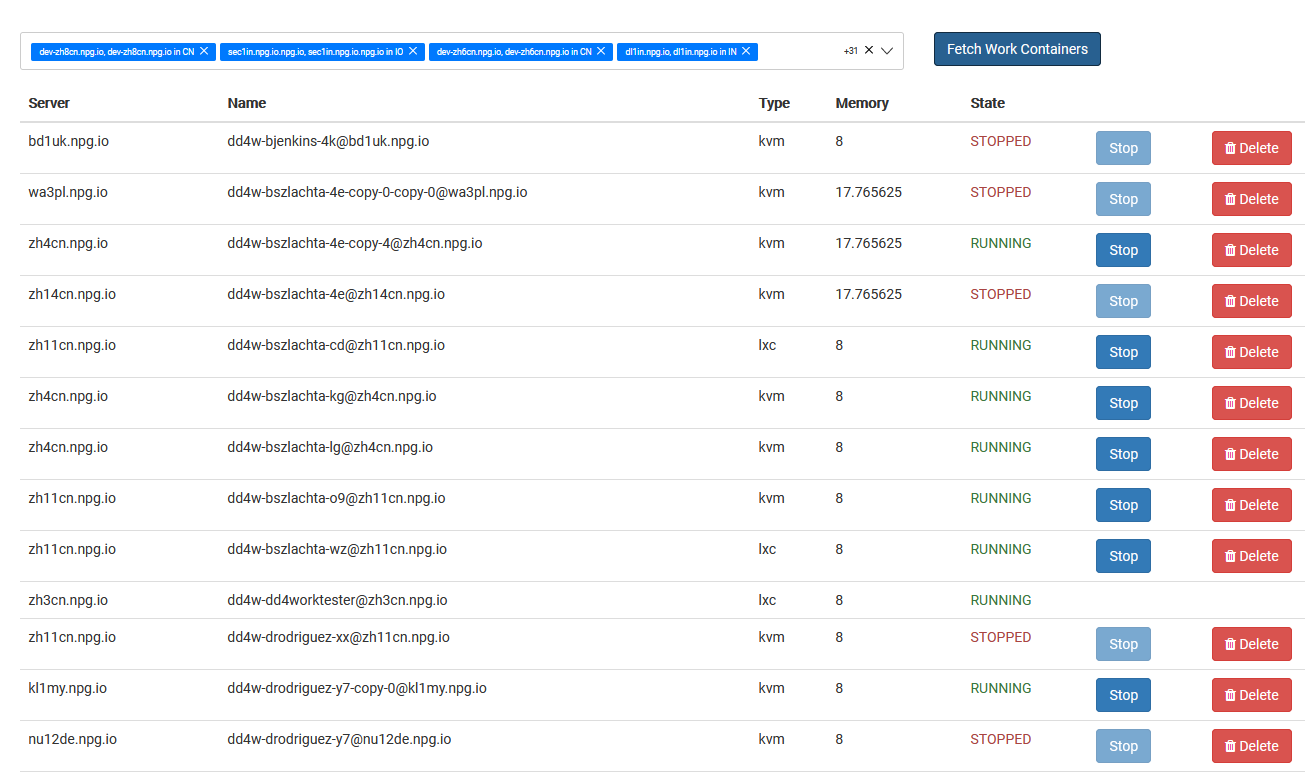
The Managing Work Desktops screen gives Super Administrators the ability to see and control every DaDesktop for Work desktop in a single interface. These work desktops are built for extended usage and are allocated to specific users, delivering safe, uninterrupted access to their desktop workspace.
Work Desktop List
All work desktops are shown along with their up-to-date status and key details. Admins can swiftly spot desktops, check if they’re online, and take necessary actions whenever needed.
Available Actions
Based on the desktop and its present condition, administrators can carry out management operations right from the panel. These capabilities support the upkeep of work desktops all through their lifespan, making sure users retain entry to their dedicated environments.
Administration
The Managing Work Desktops feature offers a unified overview for overseeing work desktop assets. It streamlines governance by enabling Super Administrators to keep track of and handle user work desktops from one central spot, without interfering with other desktop types employed for training or individual use.