My Account
Users can adjust several settings in their account area.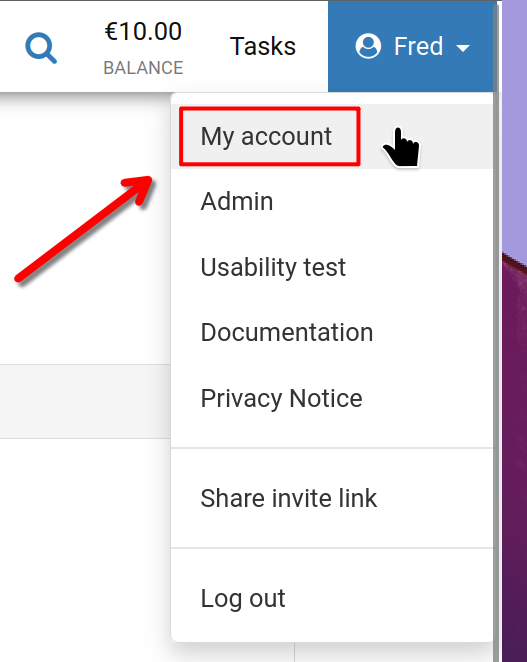
To begin, select your username at the top right corner, then choose 'My account' as illustrated.
My Account
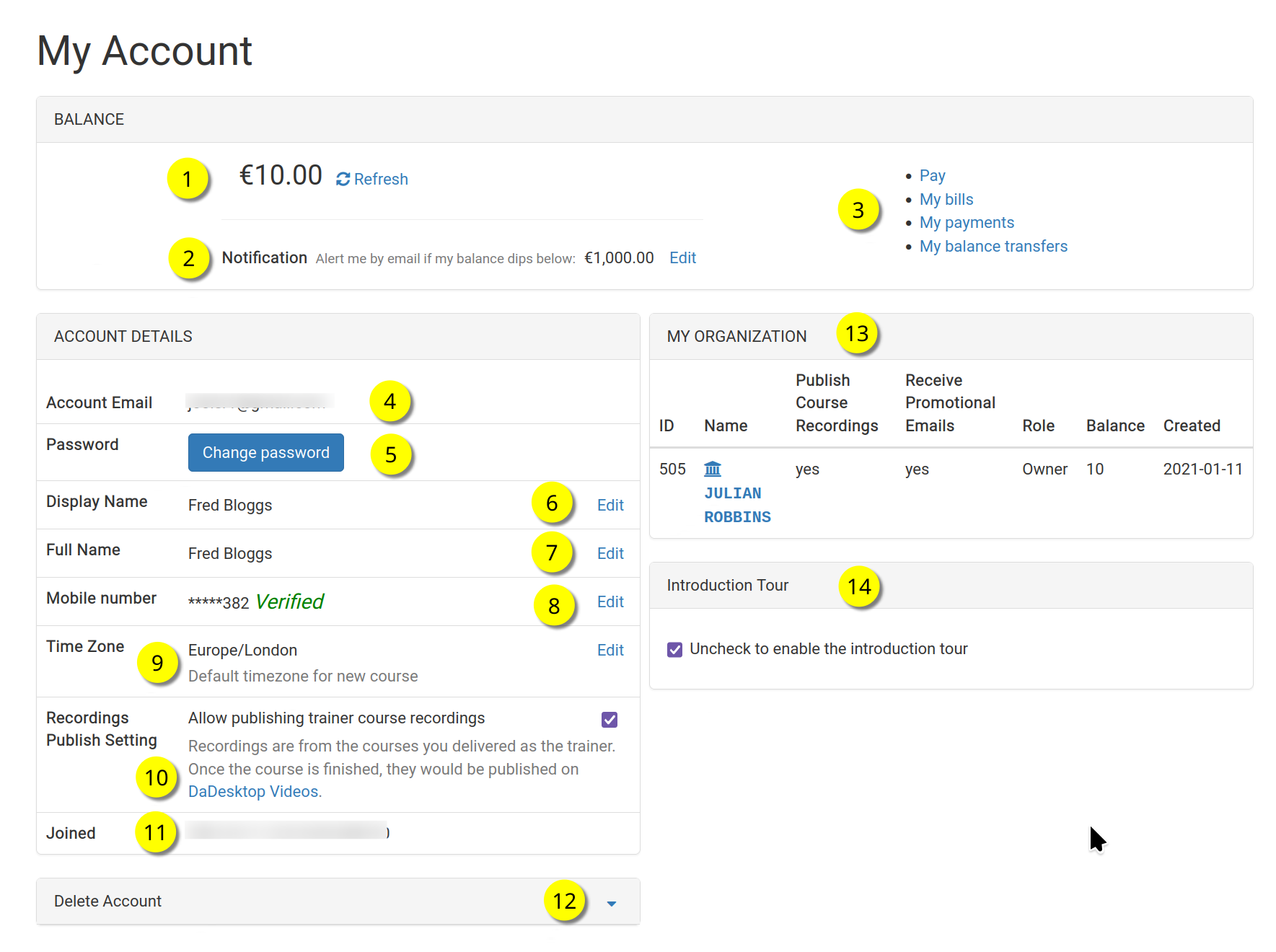
You'll now see the 'My Account' page.
Refer to the numbered list below for details on each feature.
Key
| Description | ||
|---|---|---|
| 1 | Balance | Displays your current balance |
| 2 | Notification | You'll receive an email alert if your balance falls below a certain amount, which you can set yourself. |
| 3 | Billing Links | Here you'll find links for Payment, Balance, Previous Payments, and Balance Transfers. |
| 4 | Account Email | This field is not editable. |
| 5 | Password | You can update your password right here. |
| 6 | Display Name | This is the name shown to others, and you can change it whenever you like. |
| 7 | Full Name | Your full name, also editable as needed. |
| 8 | Mobile Number | You can change this whenever necessary. |
| 9 | Timezone | This setting makes sure all times appear in your correct time zone. |
| 10 | Recordings Publishing Setting | For Trainers: you can choose to let course recordings from your machine be published on dadesktop.com/videos. |
| 11 | Joined | The date you signed up for DaDesktop. |
| 12 | Delete Account | If you ever need to delete your DaDesktop account, click here—this permanently erases all your personal data. |
| 13 | My Organisation | You can also add an Organisation to your account, and this area shows your organisation's information. |
| 14 | Introduction Tour | If you'd like to see the intro tour again, just untick this box to re-enable it. |