Remote Replica
Remote Replica lets you replicate your Fresh Start Desktop to another server, often in a different location. Once set up, any changes you make are silently and automatically copied in the background to the replica, requiring no manual input.
This feature is highly versatile, with several possible applications; two such uses are described below.
Please note: Remote Replica is currently only available for Fresh Start machines, but can also be used with DaDesktop for work (DD4W).
First: Create a Remote Replica (clone) of your desktop on a server in a separate data centre
As an extra safety measure, you might want to create a Remote Replica of your desktop on a server in another data centre, just in case the main server becomes unavailable for any reason. Then you can simply work on the replica and pick up where you left off.
Our Fresh Start machine initially resides in the UK Data Center, such as bd3uk
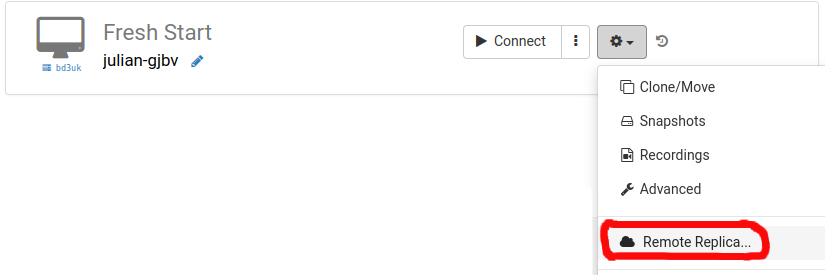
Choose the data centre you want to use for the Remote Replica—usually one different from your existing machine. You could opt for a different data centre, or even a different country, like Poland.
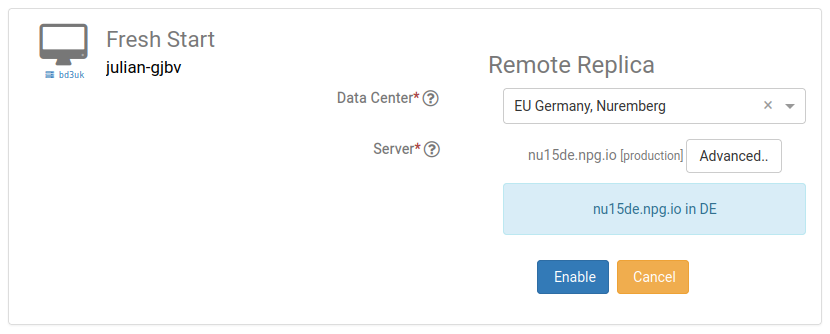
Your Remote Replica desktop is now being set up. The time this takes depends on how distant the replica's location is and the size of your desktop. You can continue using your original machine during the process if needed.
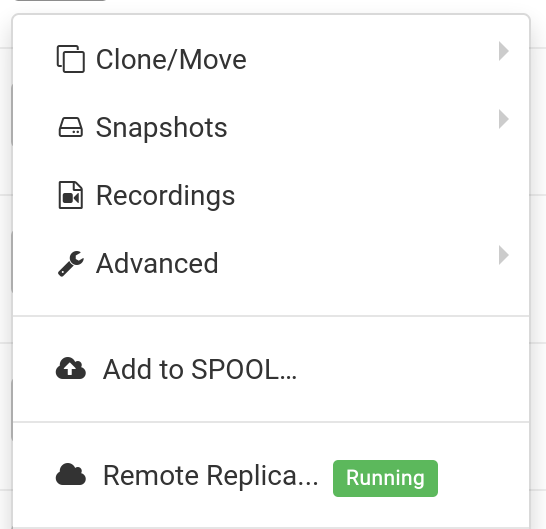
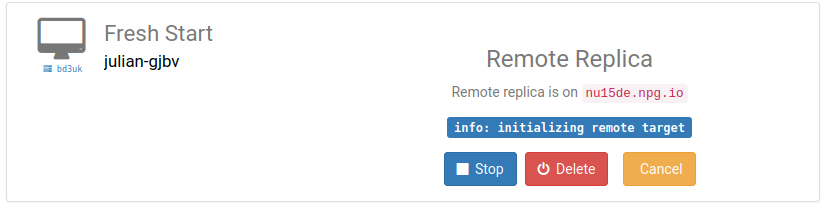
Restoring a Remote Replica
If for any reason you cannot access your FreshStart Desktop, you have the option to restore the Remote Replica that has been configured.
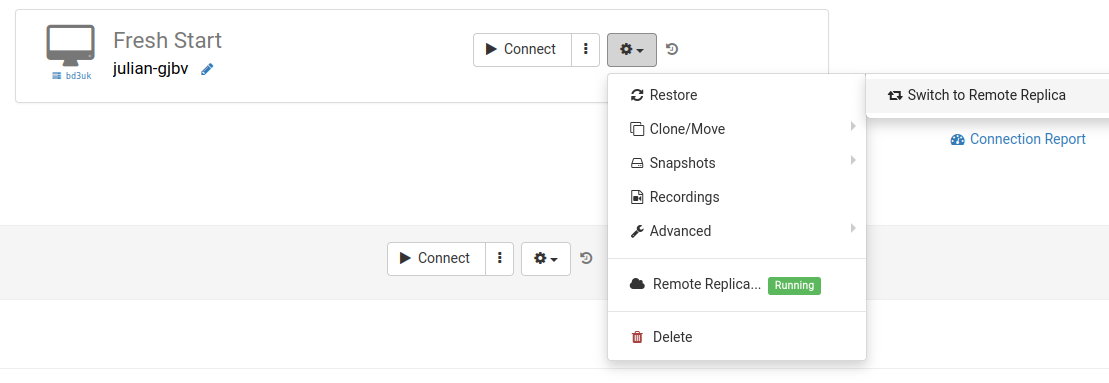
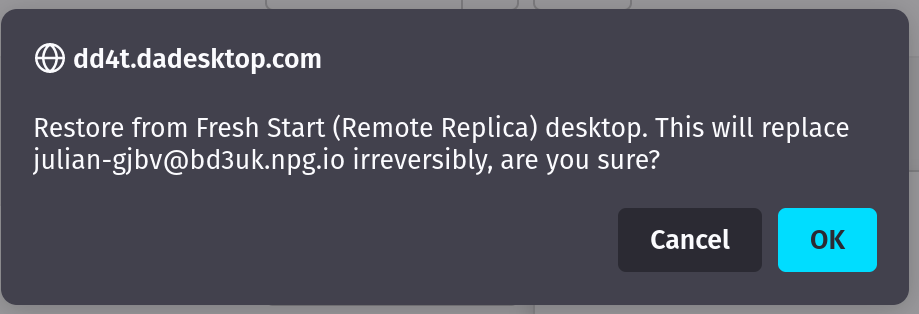
Once you start using the Remote Replica, you cannot return to the original desktop. That's fine, because the replica is an exact clone anyway.
However, note that once you switch to your Remote Replica desktop, the replication task stops running. If you want to create another replica later, you'll need to repeat the initial steps again to set up a new replica desktop.

Second scenario: Using a replica for FreshStart in a different geographical region to cut connection latency
Remote Replica is extremely handy when you need a copy of your Fresh Start machine located closer to your physical location while you develop course content. For instance, imagine a trainer based in Germany who is delivering a course in South Africa—a common scenario with DaDesktop, since the platform makes handling such situations straightforward.
In this case, you'd want to avoid creating the course's Fresh Start desktop on a South African server, as the latency would be high. Instead, you create a Remote Replica of your desktop in Europe to minimize latency. The replica stays synced with your changes.
Once you've finished working on the Fresh Start desktop, restore the Remote Replica to the trainer's machine in South Africa for quick copying to the trainer and participants.